STEP 04 / Build the frontend
Build a counter with signals
Create state once per island, update it through events, and understand why the view returns a function.
Course outline · lesson 4 of 33
Before you start: complete Write a pure TSX page, or make sure you can pass its checkpoint.
Run before changing anything#
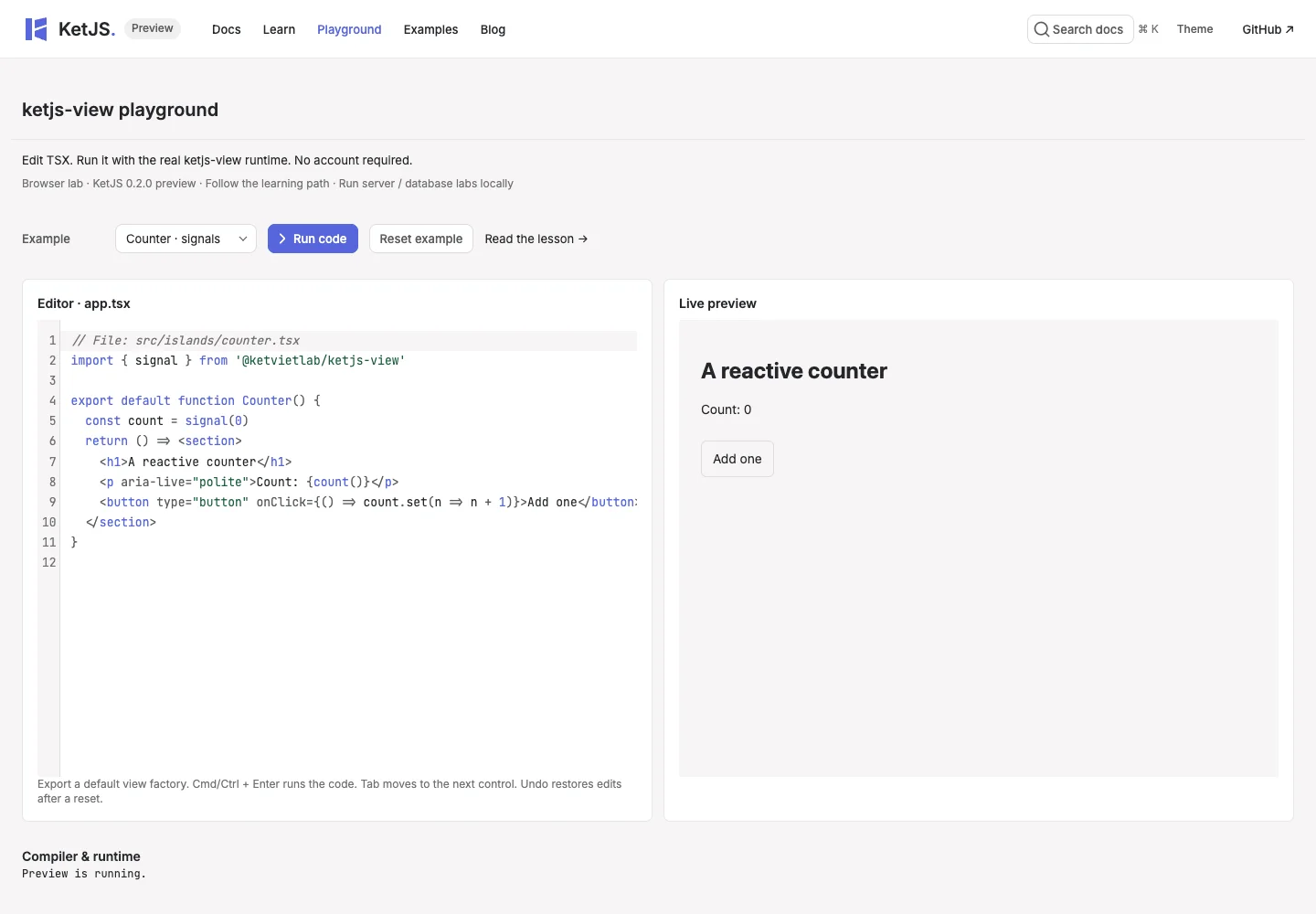
Open the playground, select Counter · signals, and click Add one. The label should change without navigation. Resetting the example creates a new instance and returns the count to zero.
In your local starter, the equivalent island is:
// File: learn-view/src/islands/counter.tsx
import { signal } from '@ketvietlab/ketjs-view'
import type { IslandFactory } from '@ketvietlab/ketjs-view'

type CounterProps = { initial: number }

const counter: IslandFactory<CounterProps> = (props) => {
  const count = signal(props.initial)
  return () => (
    <div class="counter">
      <span>Count: {count()}</span>
      <button type="button" onClick={() => count.set((value) => value + 1)}>Add one</button>
    </div>
  )
}

export default counter
Separate instance creation from rendering#
The outer factory runs when an island instance is created. signal(props.initial) belongs there so a normal re-render does not recreate state. The returned function reads count(); those reads let the reactive runtime know when to refresh the view.
count.set(value => value + 1) uses the previous value at update time. Do not mutate a local number and expect the UI to notice. Do not place signal(0) inside the returned view: doing so would reset it on each render.
Place the island on a static page#
The starter imports the factory into its page and calls island('counter', counter, { initial: 0 }). The name must also exist in ket-view.config.ts under islands, pointing at the client entry. The first render supplies HTML; the client runtime attaches behavior to that boundary.
Props cross the server/browser boundary, so use serializable values. A callback function or database connection is not a valid initial prop.
Extend the interaction#
Add a decrement button next to Add one. Use count.set(value => value - 1). Add a reset button that calls count.set(props.initial). Keep both updates in event handlers and keep the count in the factory closure.
In the playground, Counter() is called without server props. That preset initializes its signal directly. In the local island use the typed props shown above; the difference is the surrounding host, not a different reactivity implementation.
Checkpoint#
Add, decrement and reset work. With two local counter islands, updating one does not change the other.
Practice on your own#
Disable decrement at zero and display a message at ten. Explain which signal read makes each part update.
Reference#
For the complete API contract, read Rendering.